
Crafting
A planner for the packed recipes: craft, refine, or cook. Open an item to see its steps, set how many you want, and pin the plan on this device. Known blueprints are not checked.
An unofficial companion for No Man's Sky.
Atlas Field Kit is the first release from Subspace Foundry. It keeps a copy of the reference data on your device: crafting recipes, a field guide, portal glyphs, and expedition milestones. Open a save and you can add items, move them, open another slot, and add or move supercharged slots. You can edit a ship or multi-tool you already own, or add a new ship, and you can change frigate stats and traits and a settlement's perks. The Windows app writes that save on your computer after it stores a backup, then you reload the slot in the game.
Not affiliated with Hello Games. No Man's Sky and the names in the game are theirs. Subspace Foundry built this companion.
Four of them are reference data, and they work in the browser. The other three read a save. Writing that save needs the Windows helper.
A planner for the packed recipes: craft, refine, or cook. Open an item to see its steps, set how many you want, and pin the plan on this device. Known blueprints are not checked.

Walkthroughs sit with the in-game guide. The same section is an encyclopedia of the items in the game, each with the game's own description, alongside worlds, weather, and the galaxy. It can stay open on a second screen while you play.

The sixteen portal glyphs, and a translation between a glyph address and the coordinates a signal booster shows. With the Windows app, Travel can send you to the glyphs on the pad, or to a base, station, freighter, or settlement from the save. Save all stores a backup first, and you reload that slot afterward.

Community expedition phases, the milestones inside them, and the rewards. Useful beside the game while a season is running, and still there when you want to look back at an earlier one.

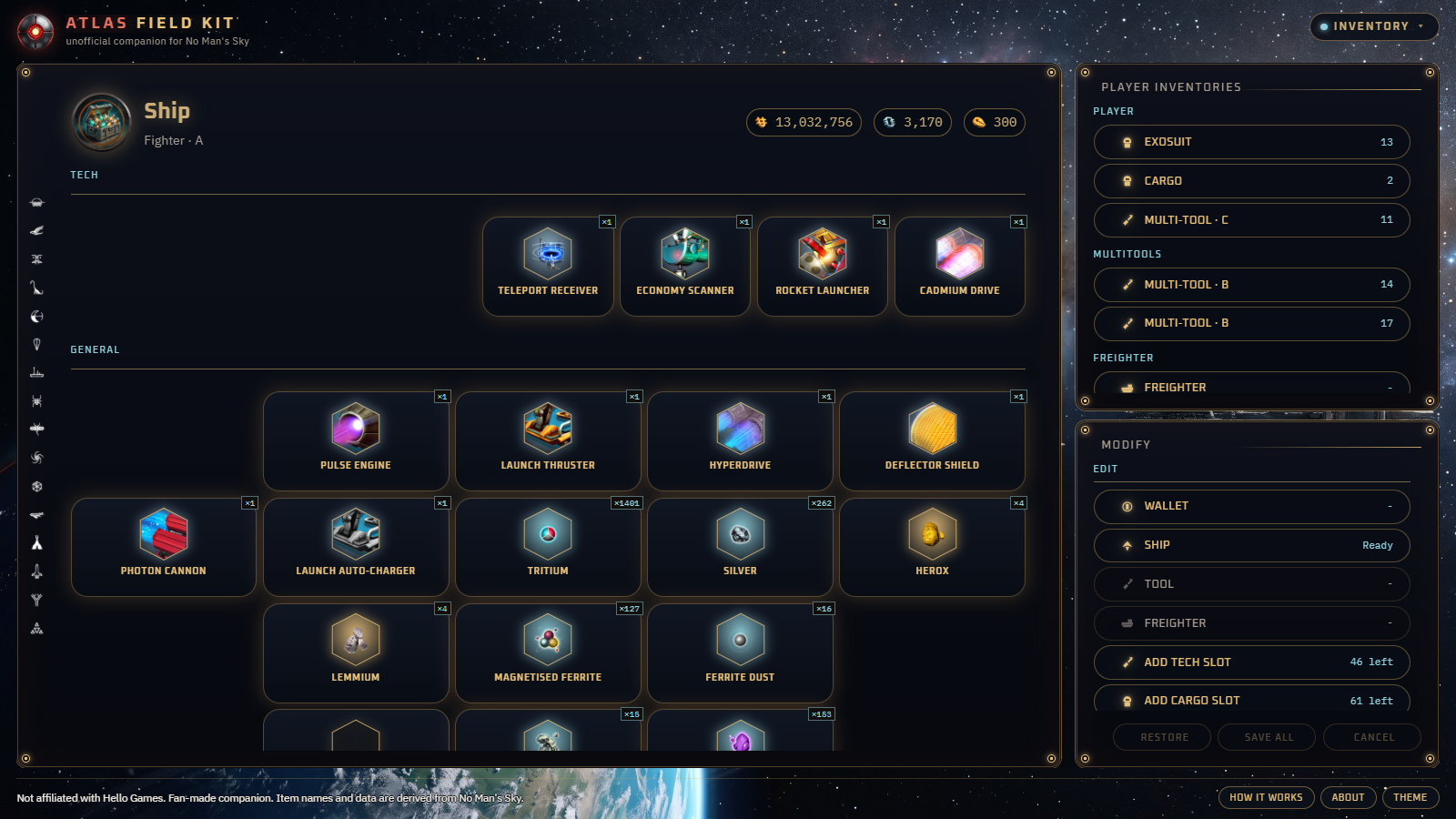
Exosuit, starship, freighter, and multi-tool. Add an item, move or copy a stack, open another cargo or technology slot, and add, move, or clear a supercharged slot. Edit the class and bonuses on a ship or multi-tool you already have, or add a new ship. Changes wait until Save all, which stores a backup first. Reload that slot from the save list afterward.

Population, happiness, debt, production, and the decisions waiting on a settlement you already have. Its perks can be added or removed. The same rule applies: a backup, then the write, then a reload of that save in the game.

Frigate expeditions on the save, with timers you can leave running. A docked frigate's specialist stats and traits can be changed, and a frigate can be copied or released. The Windows app can raise a notification when a fleet returns or a settlement needs you.
Select a capture to see it larger.
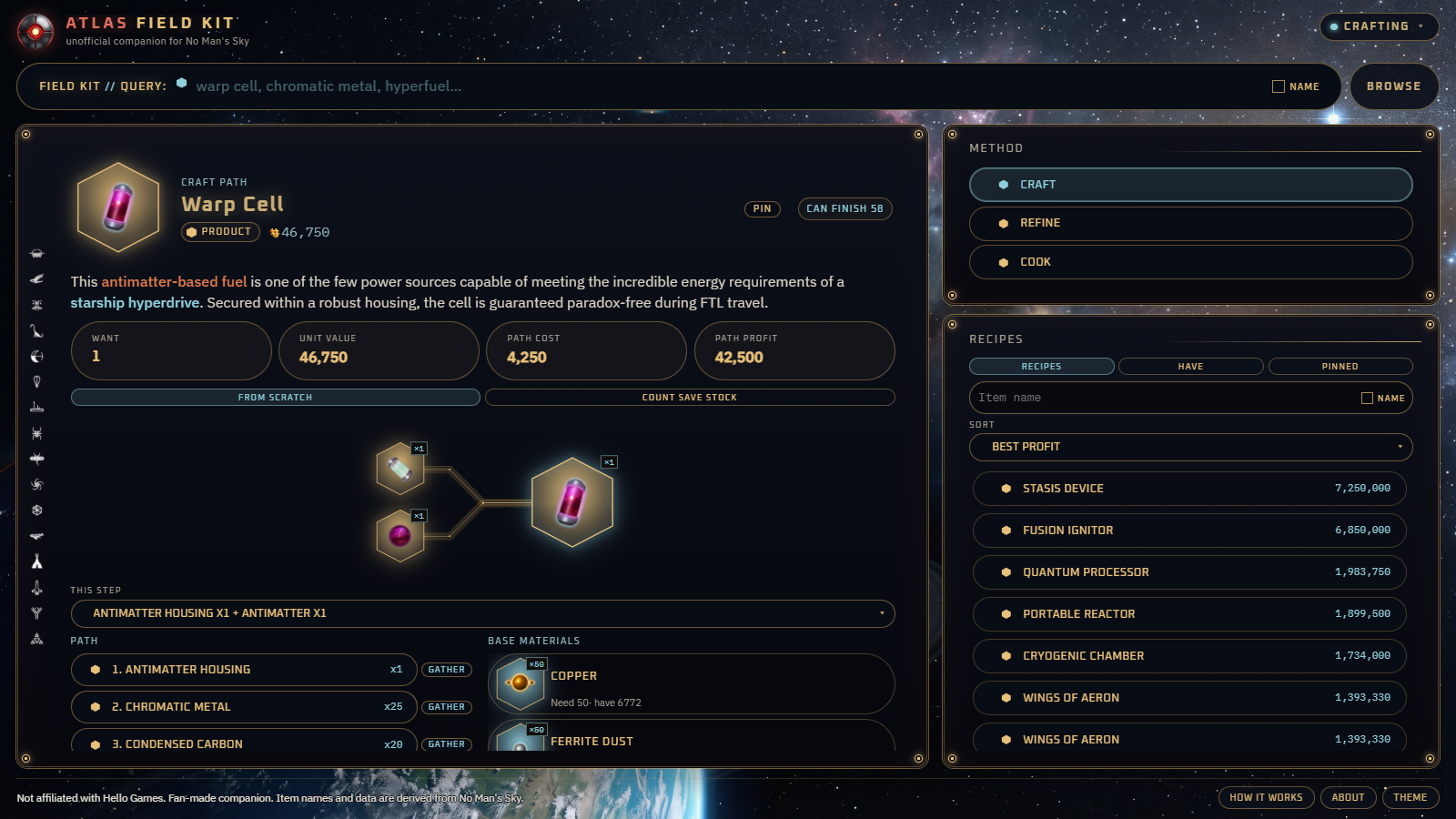
Pick an item and the kit shows the steps to craft, refine, or cook it. You can set a quantity and pin the plan on this device. This part uses the packed catalogue and does not need a save.
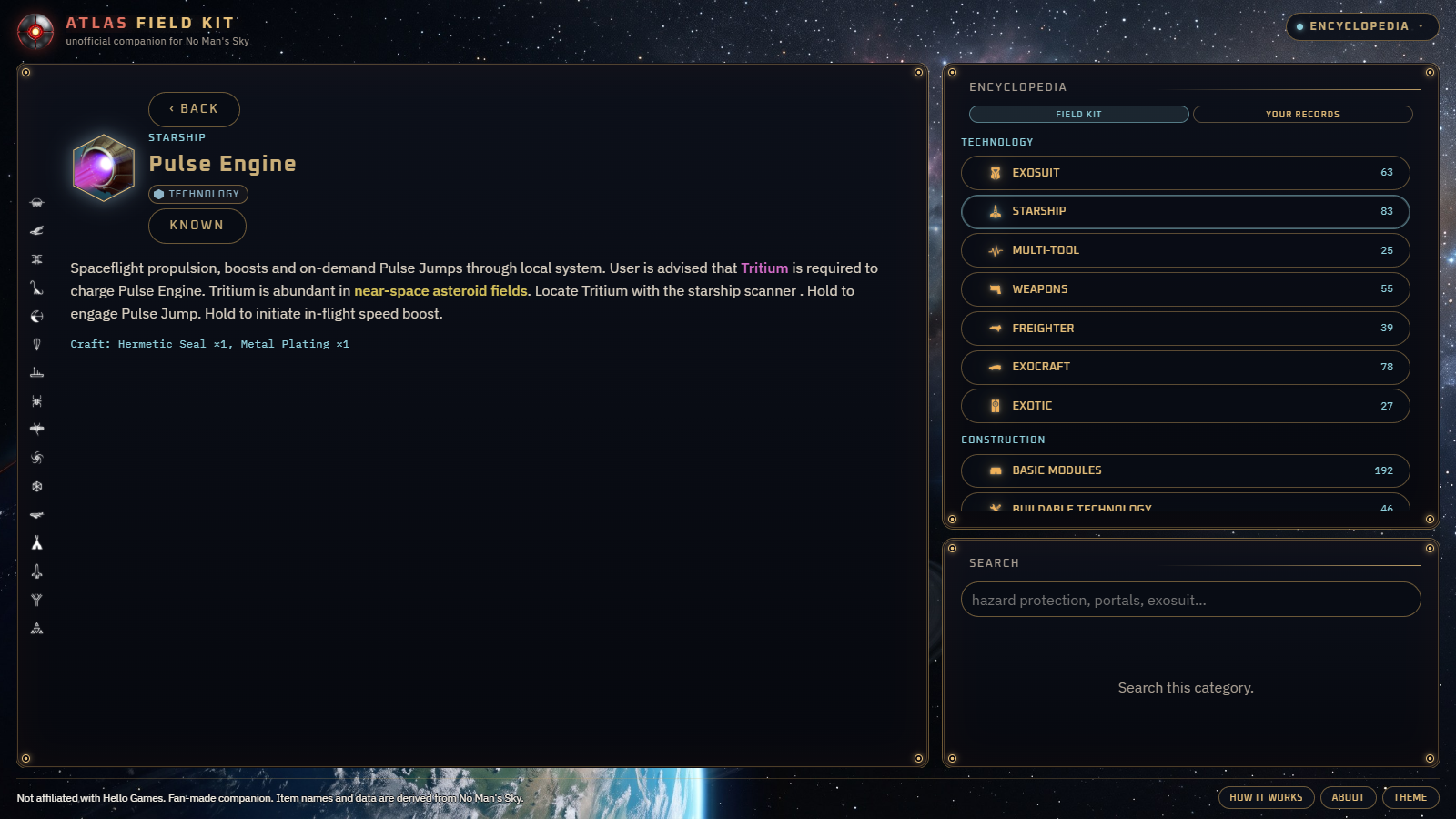
Walkthroughs sit with the in-game guide. The same section is an encyclopedia of the items in the game, each with the game's own description, alongside worlds, weather, and the galaxy. It can stay open on a second screen while you play.
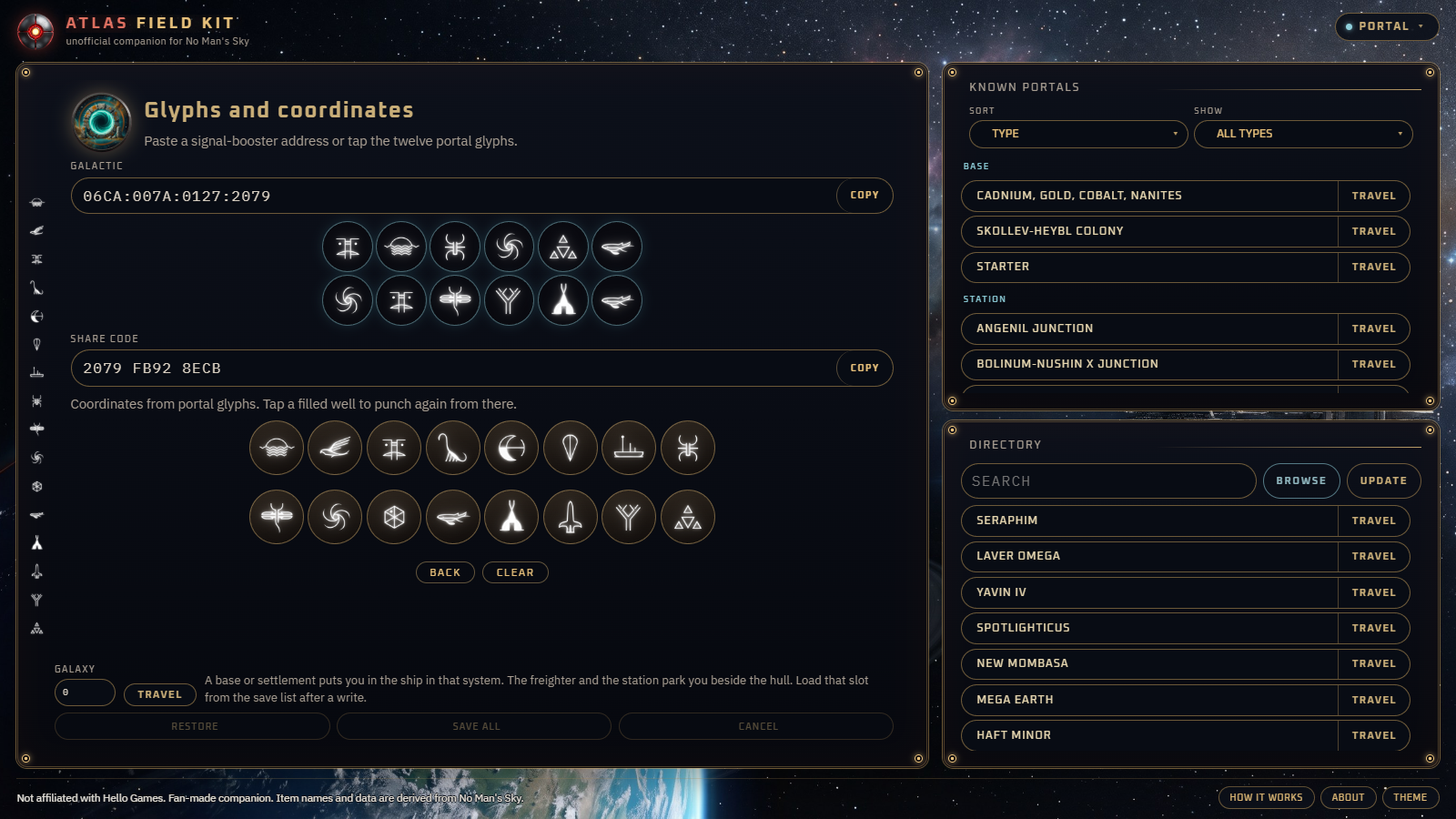
The sixteen portal glyphs, and a translation between a glyph address and the coordinates a signal booster shows. With the Windows app, Travel can send you to the glyphs on the pad, or to a base, station, freighter, or settlement from the save. Save all stores a backup first, and you reload that slot afterward.
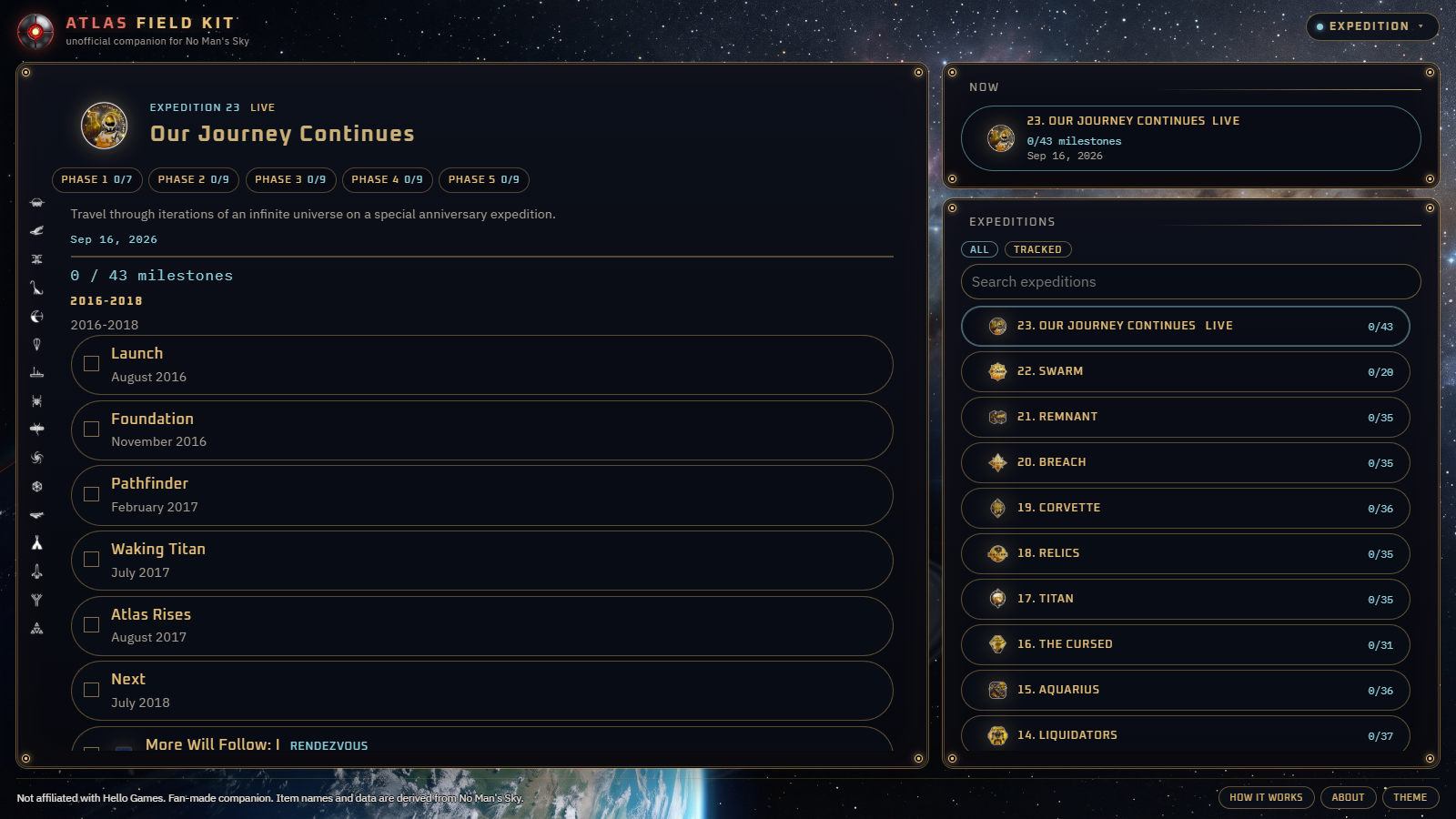
Community expedition phases, the milestones inside them, and the rewards. Useful beside the game while a season is running, and still there when you want to look back at an earlier one.
The grid is the save you opened. Add an item, move a stack, open another slot, and place or move a supercharged slot. Edit the ship or multi-tool in front of you, or add a new ship. Changes stay on this screen until Save all. That action keeps a backup, writes the local file, and expects you to reload the slot in the game.
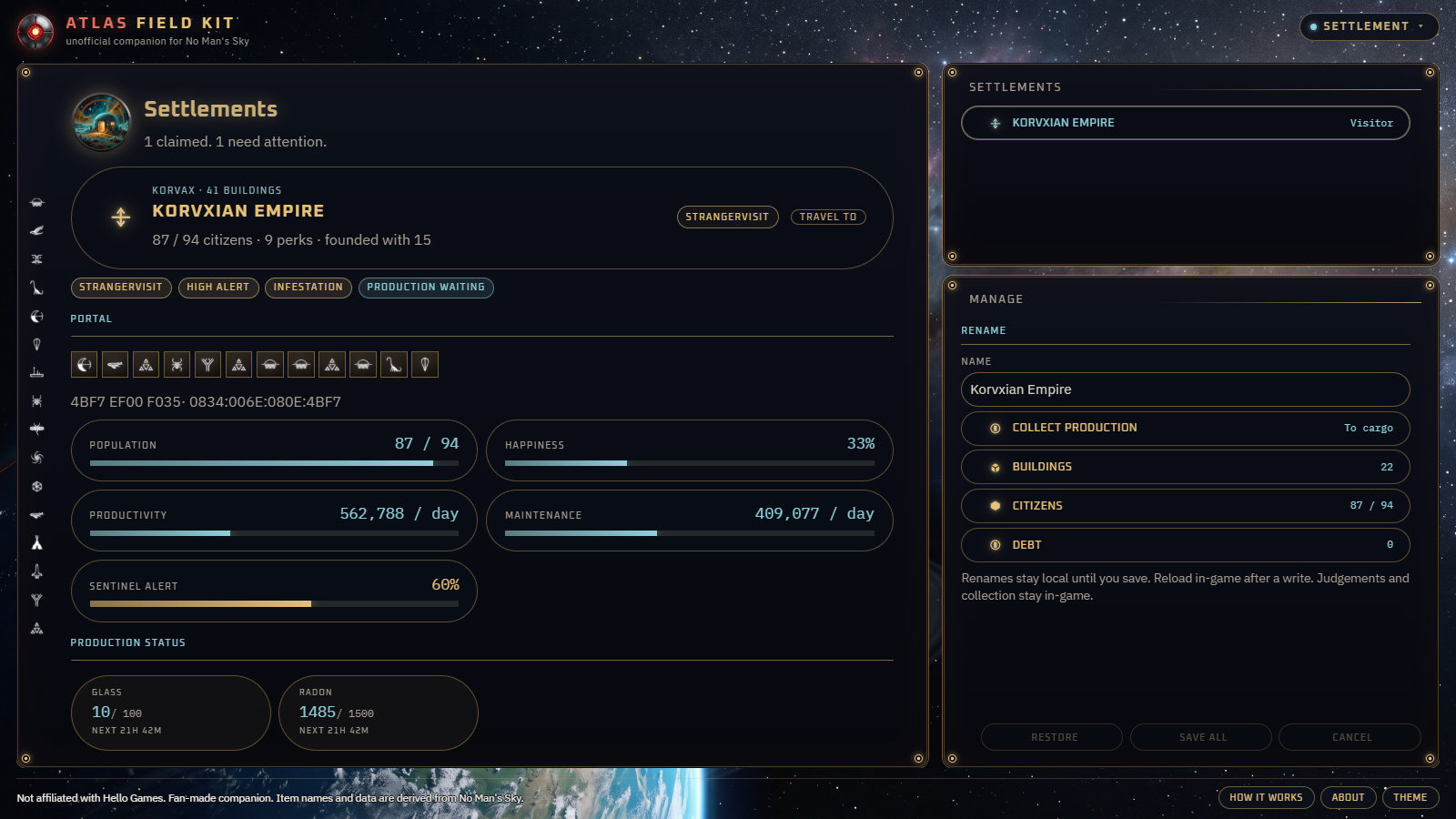
A settlement you already own, read from the save: how many citizens, how happy they are, what the debt looks like, which perks it carries, and which decisions are waiting. Those perks can be changed here. Save all stores a backup, writes the local file, and expects you to reload the slot in the game.
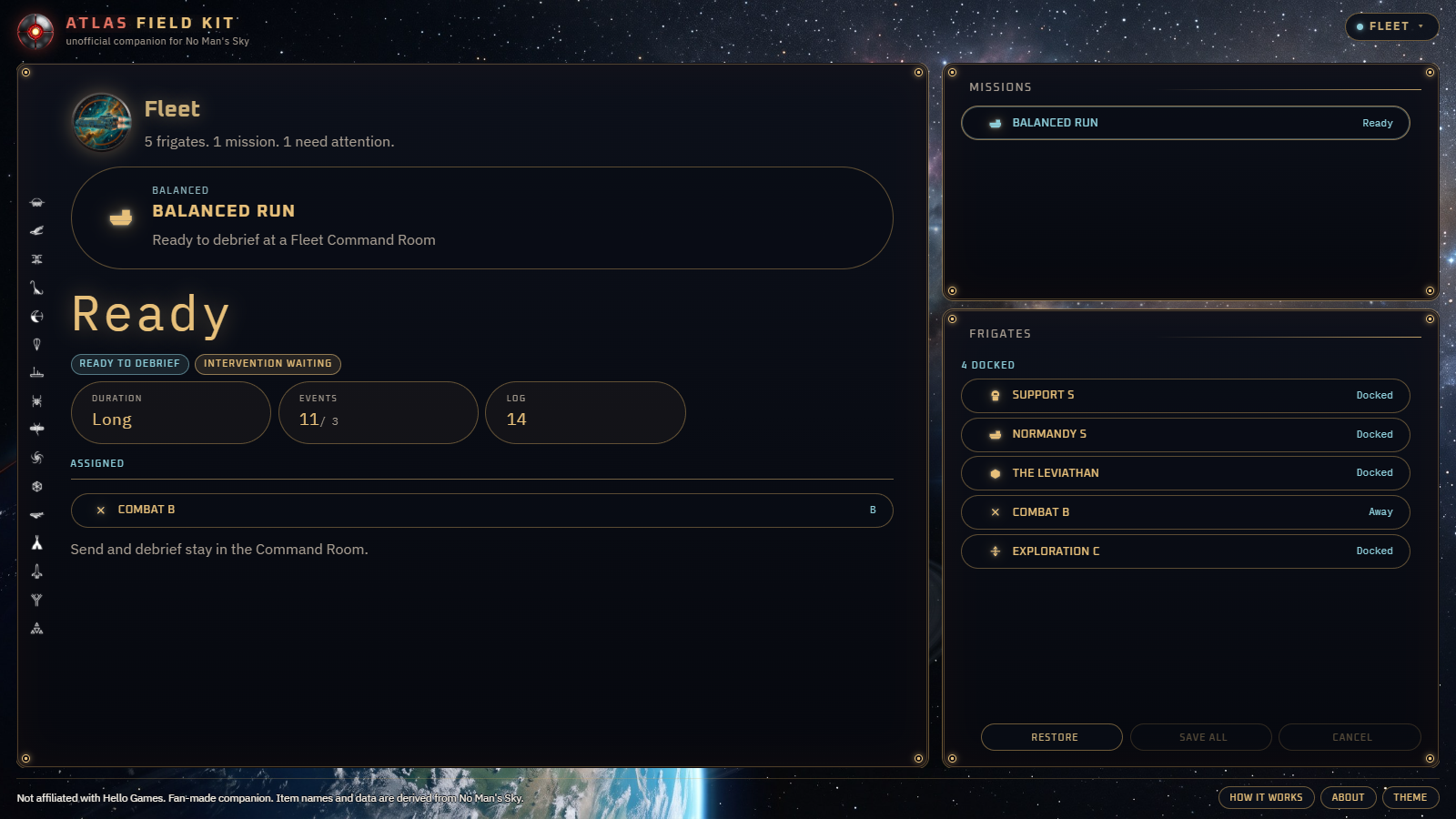
Frigate expeditions on the save, with timers you can leave running. A docked frigate's specialist stats and traits can be changed, and a frigate can be copied or released. The Windows app can raise a notification when a fleet returns or a settlement needs you.
Both editions are the same interface. Writing a save, watching the save folder, and Windows notifications need the helper that comes with the Windows app.
| What you want | Nothing to install In the browser | Save tools included Windows app |
|---|---|---|
| Recipes, guide, glyphs, expeditions | Included Open the page and use them. | Included Packed in the install, so this works offline. |
| A second screen while you play | Yes A tablet, or another monitor. | Yes The same interface, in its own window. |
| Find a Steam or GOG save | With the helper Only if the Windows app is already running on that PC. | Included The helper looks for the save folders. |
| Write a save | With the helper Save all stores a backup, then writes. | Included After a write, reload that slot from the save list. |
| Ships, items, frigates, settlements Add and move items, open slots, add or move supercharged slots, edit or add a ship or multi-tool, change frigate stats and traits, and edit settlement perks. | With the helper The same edits, once the Windows app is running. | Included Available as soon as the app is installed. |
| A reminder when a fleet returns | While the page is open Leave it up on the second screen. | A Windows notification The app can tell you when a fleet returns or a settlement needs you. |
| What you install | Nothing | Windows 10 or 11 64-bit. The setup is per user. |
The setup includes the companion and a helper that sits in the tray. The helper is what watches the save folder and writes the file. The download is large because the icons, the guide, and the recipe data travel with it.
28ec7461a69aaf2b34a9b7f2540a938e71a298c5543b974af8f4891dd16bdb79
The Windows download is paused while the setup file is signed. The browser edition is available now. 176 MB is the size Windows Explorer shows for the file on the server, which is 184,910,558 bytes.
Edits wait on the screen where you made them. Save all stores a backup of the save pair, then writes the file on that computer. Restore puts that backup back. Cancel drops the edits and leaves the file alone. After a write, reload that slot from the game's save list.
The backup is how you return to the file you had. A later game update can still disagree with an edited save. The kit does not upload the save anywhere, and it does not speak for Hello Games.
No. Open the browser edition. Crafting, the field guide, portals, and expeditions are in the page. Install the Windows app when you want it to find saves, write them, and raise a Windows notification.
The helper stores a backup of the save pair, then writes the file. Restore puts that backup back. Reload the slot from the game's save list so the game picks up the file you wrote. Cancel, before Save all, drops the edits and does not touch the file.
No. The backup is there so you can put the previous file back. An edit can still be wrong, and a future game update can disagree with a save that was changed outside the game. Keep the backup until you have loaded the slot and seen that it is the save you wanted.
Atlas Field Kit is an unofficial companion for No Man's Sky. Hello Games makes No Man's Sky. Subspace Foundry makes the companion. The two are not affiliated.
Write to @SubspaceFoundry on X. Say whether you were in the browser or the Windows app, and what you expected to happen. That account is the studio's contact for the kit and for whatever we make next.